
BAD Tools
Making Ghost Circuit means solving the same production problems on every asset. When a problem keeps costing us time, we build a tool for it. When the tool earns its place in our pipeline, we polish it and share it with other artists.
BAD:
Decimate
Your sculpt has 4 million triangles. Your game needs 40 thousand.
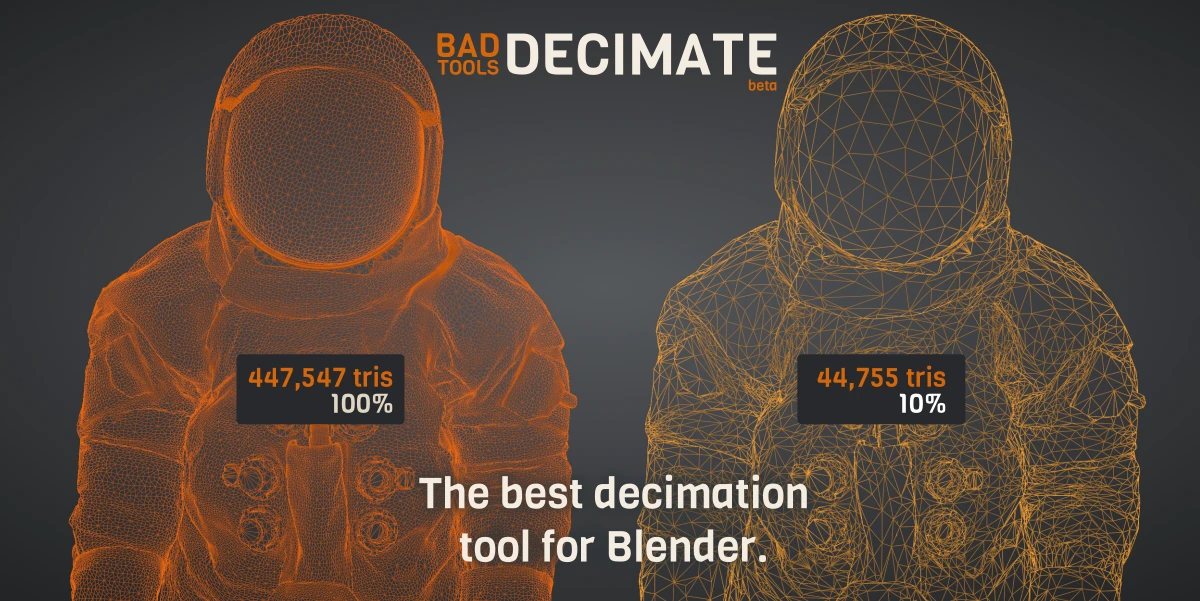
Blender's Decimate spreads triangles evenly, so a smooth cheek eats the same budget as the eyes, lips and fingers. And every time you try a new count, you wait for it to run again on the full mesh.
 ▶ Watch on YouTube
BAD: Decimate in action
See the slider at work on real sculpts, from full resolution down to game budgets.
Same budget, two approaches
We keep the detail where it matters
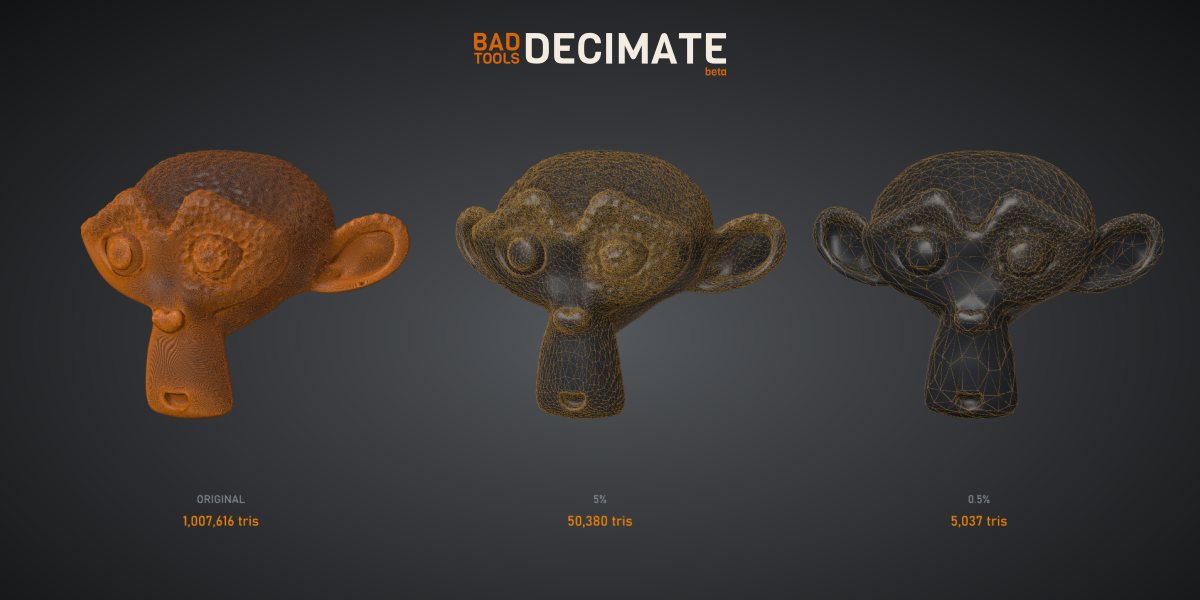
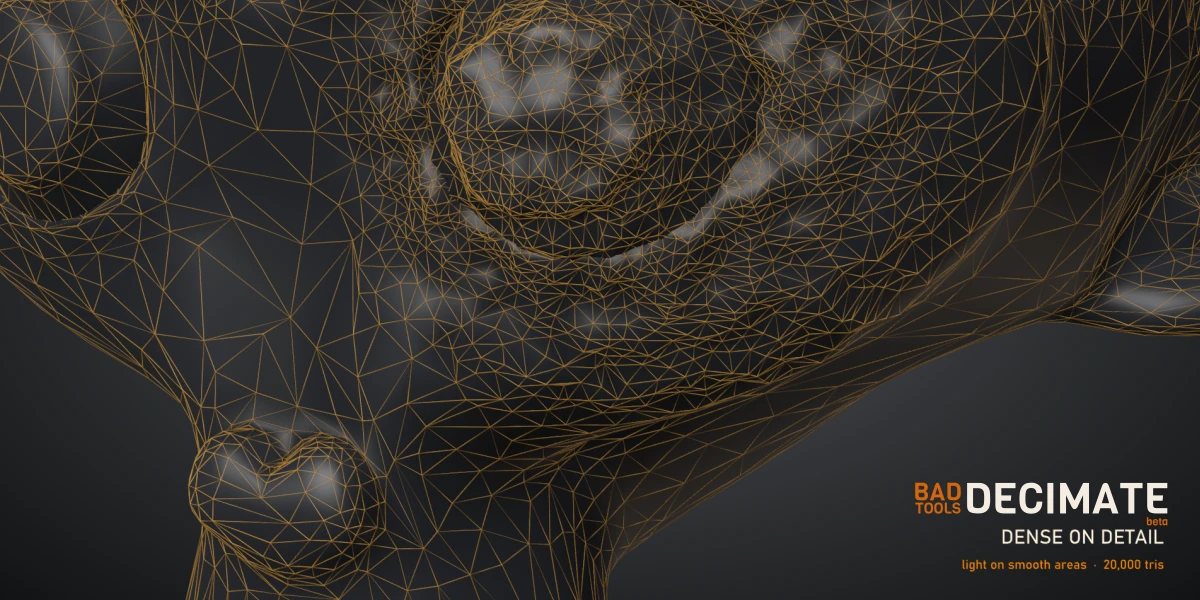
BAD: Decimate measures where the detail is and puts the triangles there: dense on creases, pores and hard edges, large on smooth areas. Same triangle count, more of your sculpt survives. In our tests on organic models it lands about 10 to 15% closer to the original surface than Blender's Decimate at the same count.
Pre-process once. Then drag.
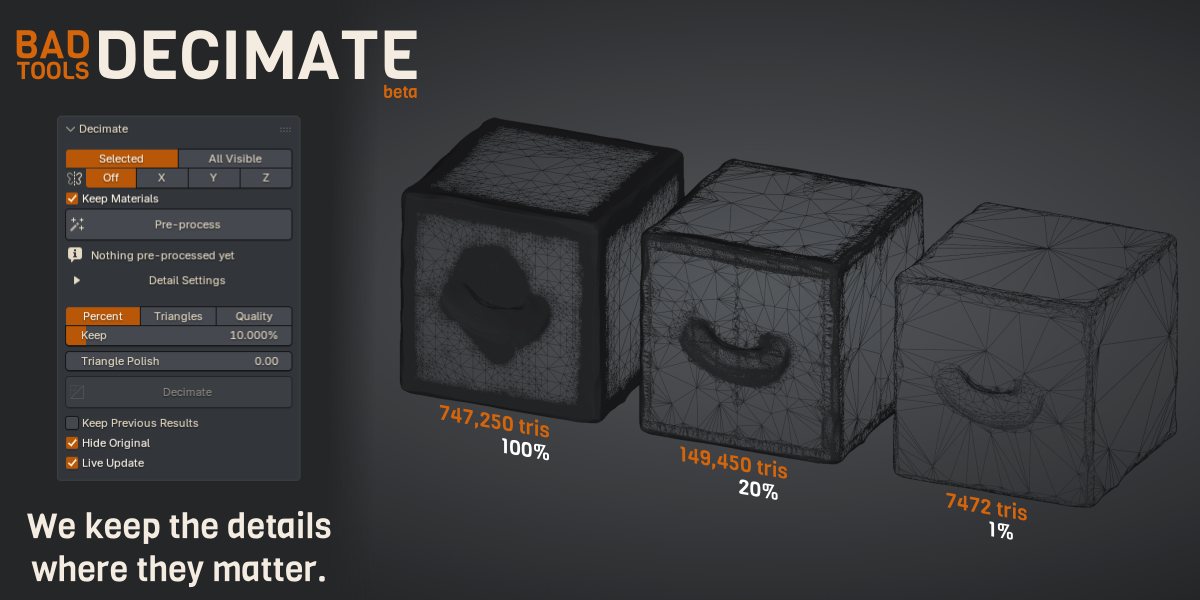
The add-on simplifies your mesh all the way down once and remembers every step. After that, any triangle count is ready almost instantly. Drag the slider from 50,000 to 5,000 and watch the result follow your hand. Check the silhouette, pick your count, move on.
Making LODs? Turn on Keep Previous Results and press Decimate once per level. That's your LOD chain.
Built for our own pipeline
Getting sculpts into an engine meant fighting the same two problems on every model: uneven results and waiting. So we built the tool we wanted, with a native multi-threaded core so even multi-million-triangle meshes stay responsive.
It was tested on sculpts, scans, rocks, hard-surface panels and a full classic car, and refined with feedback from beta testers.
- Spend your budget on the detailCurvature analysis sends triangles where they show.
- Hit an exact numberSet a triangle count, a percentage, or a maximum surface deviation.
- Budget a whole characterOne total for head, body and props, split so every part ends at the same quality.
- Keep both sides identicalSymmetry X, Y or Z decimates one half and mirrors it, welded down the middle.
- Keep your materialsEvery triangle keeps its material, and the borders between materials stay clean.
- Protect what mattersPaint a sculpt mask over the eyes or fingers and they keep more triangles.
- Get clean shadingThin needle triangles are avoided, so smooth shading doesn't streak.
- Know how close you areThe panel shows the measured deviation from the original after every decimate.
- Never lose your originalResults go into their own collection; the source mesh is untouched.
- Works on what you seeModifiers like Subdivision and Displace are included, and hard-surface models work too.
| License | Personal | Studio |
|---|---|---|
| For | One artist, freelancers included | Teams of up to 5 artists in one company |
| Updates | Every 0.x and 1.x update | Every 0.x and 1.x update |
| Support | Standard | Priority |
| Invoice | Receipt | Company invoice |
- Blender 4.2 or newer (tested on 5.0 and 5.2)
- Windows x64
- macOS 11+, Apple Silicon and Intel
- Linux x86-64 (included in this beta, still being tested)
Version 0.9.5. The core is solid and tested; we're collecting feedback before 1.0. Beta buyers get every update through 1.x.
GPL-3.0-or-later, like Blender. Commercial use is included, and your models and renders are entirely yours.
Developed with AI assistance; designed, directed and tested by Badlands Interactive.
Questions & answers
Using it
How is it different from Blender's Decimate modifier?
Blender's modifier spreads triangles fairly evenly and recomputes from scratch every time you change the ratio. BAD: Decimate measures where the detail is and puts the triangles there, and it records the whole simplification once, so after one pre-process every new count is near-instant.
Does it change my original mesh?
No. Results are always new objects in their own collection. The original is only hidden, and you can turn that off.
What kind of models does it work on?
Sculpts, scans, rocks and terrain, hard-surface models and anything with modifiers like Subdivision or Displace. It reads the mesh exactly as you see it in the viewport.
How big a mesh can it handle?
Multi-million-triangle meshes are what it is made for. Pre-processing 4 million triangles takes about 2 seconds on a 24-thread CPU; slower machines take longer. The limit is memory: on huge scenes, pre-process fewer objects at a time.
Can I make LODs with it?
Yes. Pre-process once, turn on Keep Previous Results and press Decimate once per level. Or use Quality mode and raise the Max Deviation for each level.
Can I decimate a whole character to one triangle budget?
Yes. Select every part, pre-process them together, choose Triangles and type the total. It is split so every part ends at the same quality, and the table shows each share before you press Decimate.
How does Symmetry work?
Pick X, Y or Z before pre-processing. One half is decimated and mirrored across the object origin, and the halves are welded, so both sides have exactly the same triangles. The origin has to sit on the model's centre line.
Are my materials kept?
Yes, with Keep Materials on (the default). Every triangle keeps its material and the borders between materials stay clean.
What about UVs, vertex groups and shape keys?
They are not carried over: the result is a new triangle mesh. The usual workflow is to decimate, unwrap the result and bake normals and textures from the original.
Can I protect parts like the eyes or fingers?
Yes. Paint a sculpt mask over them in Sculpt Mode before pre-processing; masked areas keep more triangles.
Is the pre-process saved in my .blend file?
No, it lives in memory only, so your files stay small. After reopening a file, pre-process again. The decimated results themselves are normal meshes and are saved.
Does it use the GPU?
No. It uses a native multi-threaded core on all CPU cores.
Compatibility
Which Blender versions are supported?
Blender 4.2 or newer. It is tested on 5.0 and 5.2.
Does it work on Mac and Linux?
Yes. One zip works on Windows x64, macOS (Apple Silicon and Intel, macOS 11 or newer) and Linux x86-64. Linux is included in this beta and still being tested; tell us how it runs for you.
What happens if I uninstall it?
Nothing breaks. The results are ordinary mesh objects and stay in your files.
Buying and license
Can I use it commercially?
Yes. The add-on is GPL-3.0-or-later, like Blender itself. Your models, renders and games are entirely yours; the license only covers the add-on's code.
Personal or Studio?
Both are the same add-on. Personal is for one artist, freelancers included. Studio is for teams of up to 5 artists in one company and adds priority support and a company invoice. Larger team? Contact us.
What does "beta" mean here?
The core is solid and tested; we are collecting feedback before 1.0. Beta buyers get every update through 1.x.
How do I update?
Download the new zip, install it from disk the same way, and restart Blender.
Was AI used to make it?
Yes. BAD: Decimate was developed with the help of AI for coding, testing and documentation. It was designed, directed and tested by Badlands Interactive.
Support
The panel says "Native core not loaded: fallback mode".
Reinstall the add-on and restart Blender. If it stays, contact us with your Blender version and operating system. The add-on still works in this mode, only slower and less adaptive.
Where do I report bugs or ask for features?
Through the contact form or the Superhive product page. Please include your Blender version, operating system and the triangle count of the mesh.